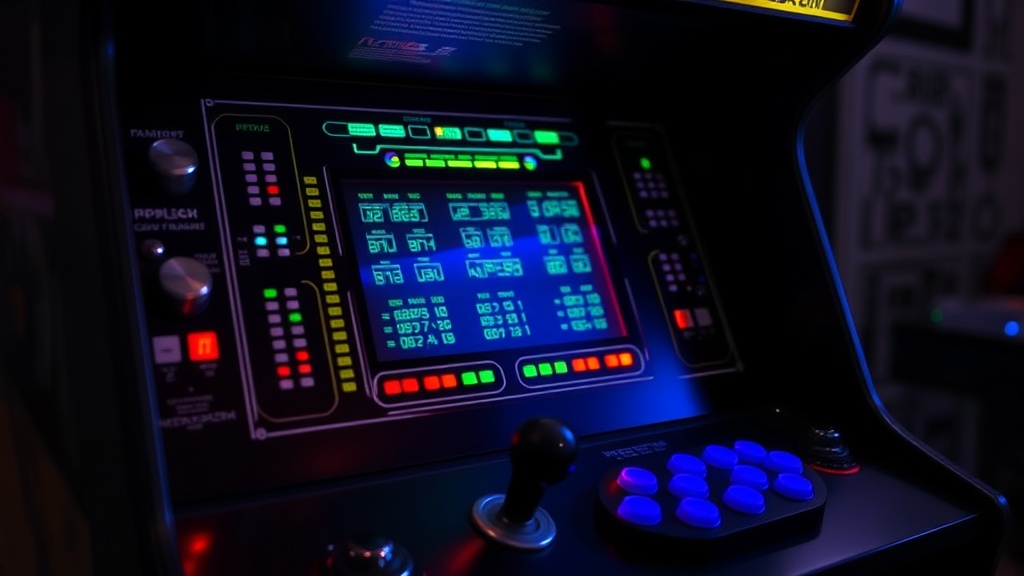
Preserving Your Arcade Cabinet's Control Panel Integrity

The Sticky Button Problem
Imagine walking into your game room, ready to play a quick round of Pac-Man, only to find that the button you're about to press feels gummy, unresponsive, or—even worse—stuck in the down position. This isn't just a minor annoyance; it's a sign that the physical components of your control panel are degrading. Whether it's soda residue from a decade ago or the natural breakdown of rubber components, a malfunctioning control panel ruins the tactile experience that makes arcade gaming special. Understanding how to maintain these surfaces and internal parts is the difference between a machine that feels like a piece of history and one that feels like junk.
A control panel is a complex sandwich of wood or metal, buttons, microswitches, and wiring. Because these parts are high-touch, they face more wear and tear than almost any other part of an arcade cabinet. If you don't address the buildup of oils and debris, you're looking at permanent damage to your buttons and switches. This guide focuses on the practical steps to keep your inputs crisp and responsive.
How do I clean arcade buttons without breaking them?
Cleaning buttons requires a delicate touch. You can't just spray liquid into the gaps; that's a fast way to short out a microswitch or cause a permanent sticky situation. Instead, start with the physical surface. Use a lint-free cloth slightly dampened with a mild soap solution or a specialized electronics cleaner (ensure it is non-conductive). Wipe the top of the button cap and the surrounding bezel area to remove skin oils and dust.
For deep-seated grime around the edges of the button, a wooden toothpick or a fine-tipped brush works well. Avoid using metal tools that might scratch the plastic or the cabinet surface. If the buttons are particularly nasty, you might need to unscrew the panel to clean the underside of the button caps. When doing this, keep a close eye on the tension springs and the small plastic plungers. These tiny components are easily lost or bent if you aren't careful.
- Avoid: Excessive liquid, abrasive scrubbing, or harsh chemicals like acetone.
- Use: Isopropyl alcohol (70% or less), microfiber cloths, and soft brushes.
If you find that the buttons are still sticking even after a surface clean, the issue might be internal. Sometimes, the liquid has actually entered the switch housing. In these cases, you'll need to disassemble the button assembly to clean the internal contact points. This is a more advanced task, but it's much better than buying an entirely new set of buttons.
What causes unresponsive arcade buttons?
Unresponsive buttons usually stem from three main culprits: physical obstruction, electrical failure, or mechanical fatigue. A physical obstruction is often just a buildup of dust or a spilled drink that has hardened inside the housing. This creates friction that prevents the button from returning to its neutral position. If you feel a "crunchy" sensation when pressing, there is likely debris inside.
Mechanical fatigue is another common issue. Over years of heavy use, the tiny springs inside the buttons or the microswitches themselves can lose their tension. If a button feels "mushy" or doesn't have that satisfying click, the spring or the switch might be reaching the end of its life. This is a common occurrence in high-traffic cabinets or those that have been sitting in storage for years without use.
Finally, electrical failure can occur if the wiring is compromised. Oxidation on the contact points or a loose wire can cause intermittent signals. If a button works sometimes but not others, check your connections first. A loose wire can often be fixed with a quick solder or by tightening a crimp connector. You can find reliable replacement parts and diagnostic tools through specialized distributors like Arcade Control to ensure you're getting parts that match your original specifications.
How often should I maintain my control panel?
Maintenance shouldn't be a once-a-year event; it should be a regular part of your collection's care routine. I recommend a quick surface wipe-down once a month if the machine is in a high-traffic area. If the cabinet is part of a dedicated game room with controlled humidity, you can get away with quarterly deep cleans. Always check for any signs of "stickiness" or unusual resistance during your regular play sessions.
It is also a good idea to inspect the wiring use every six months. A quick look under the control panel can reveal if any wires are fraying or if any connectors have wiggled loose. Keeping an eye on the integrity of the wiring ensures that you won't be surprised by a dead button in the middle of a high score run. For more technical details on arcade electronics, the community at Karcade offers excellent resources for troubleshooting specific hardware issues.
Remember, a well-maintained control panel doesn't just play better—it also preserves the value of your collectible. A cabinet with pristine, responsive controls is always worth more to a collector than one with gummy, unresponsive buttons. Take the time to do it right, and your machines will remain playable for decades to come.